
• LinkedIn
    ItVisions | IT Support | Managed Service Provider | DE
    • Home
    • About Us
      • Why Choose Us
      • Careers
    • Our Services
      • Managed IT Services
      • Mining & Resources
      • System Monitoring
      • Cloud Solutions
      • Network Solutions
      • Modern Workplace
      • Technology Consulting
    • Our Industries
    • Contact Us
    • Search
    • Menu Menu
    Cybersecurity Reports

    Decoding Confusing Cybersecurity Reports for Better Business Decisions

    /in Cyber Security

    Cybersecurity reports can seem like a maze of jargon and dense information, but they hold the key to making smart business decisions. They serve as a crucial resource, outlining the various digital threats your company might face and offering insights into potential solutions. However, misunderstandings can creep in when these reports are not fully understood, which can lead to poor decision-making and increased vulnerability.

    In today’s world, businesses in Melbourne and elsewhere are facing a range of cyber threats, from data breaches to ransomware attacks. Understanding cybersecurity reports can help you identify areas of weakness and implement necessary defences. Think of these reports as detailed maps that guide businesses away from potential hazards and toward stronger digital security. By navigating these documents effectively, businesses can better protect their assets and ensure smoother operations.

    Breaking Down Cybersecurity Jargon

    Let’s translate some of the most common terms you’ll find in cybersecurity reports. This is essential because the terminology can be perplexing if you’re not immersed in this field daily.

    – Malware: Short for malicious software, malware refers to any software intentionally designed to cause damage to a computer or network. Think of it as a digital pest that’s there to cause trouble.

    – Phishing: This term describes attempts to trick individuals into giving up sensitive information, like passwords or credit card numbers, via deceptive emails or websites. Imagine someone trying to fish for your personal info using online bait.

    – Firewalls: These are defenses placed between your computer (or network) and potential malicious traffic. Visualise them as the doormen at a club, deciding who gets in and who stays out.

    – Encryption: This is the process of converting information into a secure format that can only be read by someone with the correct decryption key. It’s like locking your information in a safe, only accessible to those with the combination.

    – Zero-Day Attack: These occur when hackers exploit a software vulnerability that is unknown to the vendor or developer. It’s akin to burglars finding a secret passage into your home before you even know it exists.

    Understanding this jargon is like having a dictionary for cybersecurity reports, allowing you to decode their messages clearly. By breaking down these terms into simpler concepts, it becomes much easier to grasp what’s at stake and how you can take informed steps to protect your business. This approach ensures that you’re not just reading reports but truly understanding the potential impacts and necessary actions.

    Key Elements to Look for in Cybersecurity Reports

    Knowing what to focus on in cybersecurity reports can streamline decision-making processes. These documents typically include several key components that offer valuable insights when interpreted correctly.

    – Threat Analysis: This section outlines potential threats specific to your business. By understanding the types of threats you face, you can tailor your security measures effectively.

    – Recommended Actions: Here, you’ll find strategies for dealing with identified threats. These recommendations are crucial for guiding your cybersecurity strategies and can include everything from software updates to more significant infrastructure changes.

    – Risk Assessments: This part evaluates the potential impact of different threats on your organisation. It helps you prioritise your security efforts based on the probability and severity of the risks involved.

    Each of these sections serves as a building block in constructing a robust digital security strategy. By paying close attention to these elements, you can identify where your business is most vulnerable and take action to bolster your defences.

    Practical Tips for Using Cybersecurity Reports in Business Decisions

    Translating the information in cybersecurity reports into actionable strategies is where the real value lies. Here are some practical steps you can take:

    1. Prioritise Risks: Not all threats are created equal. Start by addressing the highest risk areas that could have the most significant impact on your business operations.

    2. Develop a Timeline: Set realistic goals and timelines for implementing the recommended actions. This ensures that security updates happen systematically rather than haphazardly.

    3. Use Real-World Examples: Learning from other businesses’ experiences can provide a roadmap for what works. For instance, a Melbourne-based company improved its security by implementing a multi-layered approach, combining both software and human training.

    4. Regular Review and Update: The cyber landscape is perpetually shifting. Schedule regular reviews of your cybersecurity reports and policies to ensure they remain relevant and robust.

    By using these tips, businesses can bridge the gap between information and implementation, turning cybersecurity reports into an active part of strategic planning.

    Enhancing Your Approach with Professional Support

    Interpreting these reports can be challenging, especially with limited IT expertise. That’s where professional support becomes invaluable. Experts can help you unravel complex details and apply them effectively to your business context. Consulting with specialists ensures you’re using cybersecurity reports to their full potential, maintaining a solid security posture in a dynamic digital environment.

    Make Smarter Decisions with Clearer Insights

    Understanding cybersecurity reports allows you to make informed choices, enhancing your overall security and business efficiency. These documents are more than just technical jargon; they are crucial tools for navigating the modern business landscape safely. Embracing the insights within these reports can be a decisive step in fortifying your business against digital threats, ensuring you stay resilient and secure in an ever-changing world.

    As you enhance your business’s security posture, partner with ItVisions to interpret your cybersecurity reports effectively. Leverage our expertise to uncover actionable insights and protect your operations against potential threats. To learn more about strengthening your digital defences, explore our cybersecurity reports to see how we can help.


    https://itvisions.us/wp-content/uploads/2025/08/Cybersecurity-Reports.jpg 1280 1920 David Melville https://itvisions.us/wp-content/uploads/2023/02/ItVisions-Logo-web.png David Melville2025-08-13 09:00:232025-08-04 05:07:02Decoding Confusing Cybersecurity Reports for Better Business Decisions
    digital service provider

    Overcoming Communication Gaps with Your Digital Service Provider

    /in Articles

    Navigating communication challenges with digital service providers can sometimes feel like a game of broken telephone. Even with the best intentions, businesses can find themselves caught in misunderstandings that lead to project delays, unexpected outcomes, and frustration on both sides. Effective communication serves as the backbone of any successful partnership, ensuring that services run smoothly and issues are resolved promptly.

    Let’s paint a picture: imagine a business eagerly waiting for its digital service provider to deliver a new software update. Due to lost emails and unclear messages, the timeline extends beyond expectations. Frustration grows, trust shakes, and what could have been a straightforward task turns complicated. Such scenarios underscore why clear communication is key in maintaining smooth relationships and achieving business goals without stumbling blocks.

    Identifying Common Communication Gaps

    Communication gaps in the tech world can surface in several ways, often stemming from misunderstandings and assumptions. Here are a few common culprits:

    – Misunderstandings of Technical Jargon: Tech experts love their lingo, and while it’s second nature to them, it can leave non-tech folks puzzled. It’s like speaking two different languages, where a simple term can have varying meanings depending on who’s listening.

    – Unclear Service Expectations and Deliverables: Misaligned expectations can arise if the scope of work isn’t clearly defined from the start. When everyone isn’t on the same page about deliverables and timelines, dissatisfaction can ensue.

    – Inconsistent or Infrequent Updates and Reports: Consistent communication keeps everyone in the loop. Without regular updates, businesses might feel in the dark, unsure of progress or any potential roadblocks.

    Addressing these gaps is fundamental to ensuring a successful partnership with your digital service provider, paving the way for improved service delivery and client satisfaction. By pinpointing these issues, businesses can take proactive steps to bridge the communication divide.

    Strategies to Improve Communication

    Effective communication forms the cornerstone of any successful partnership. To bridge the gap with your digital service provider, it’s crucial to establish clear, consistent channels for dialogue. This begins with finding a method of communication that works for both parties, ensuring that messages are both sent and received without distortion or delay.

    – Establish Clear and Frequent Channels: Make it a priority to set up dependable lines of communication. This includes deciding on the primary mode of contact, whether it be email, phone, or messaging apps. Regular interactions, even if brief, can prevent misunderstandings and keep everyone aligned with the project’s goals.

    – Regular Check-Ins and Progress Updates: Scheduling routine meetings can make a big difference. Face-to-face meetings are more personal, but video conferences work just as well, allowing for detailed discussions about project milestones, potential hurdles, and necessary adjustments. Think of these check-ins as pit stops in a race, where both driver and crew ensure everything stays on track.

    – Align on Technical Terms and Project Goals: Often, communication issues stem from differing understandings of terms or objectives. Take the time to clarify and agree on what specific jargon means in the context of your project. When everyone has a unified understanding, it makes achieving shared goals that much easier.

    Leveraging Technology for Better Communication

    With technology at our fingertips, harnessing it optimally can facilitate smoother exchanges and enhance clarity. Here are a few tech-savvy strategies:

    1. Project Management Tools: These platforms, like Asana or Trello, provide a clear view of task allocation, timelines, and progress, keeping everyone accountable. They act as digital bulletin boards, where tasks and updates are visible at all times.

    2. Communication Platforms: Tools such as Slack or Microsoft Teams can streamline conversations by organising discussions, making it simple to trace back previous exchanges and decisions.

    3. Collaborative Documents and Workspaces: Platforms like Google Docs and shared cloud spaces allow for real-time updates and feedback, ensuring that everyone has access to the latest information and can contribute without missteps.

    Benefits of Improved Communication with Your Digital Service Provider

    When you strengthen communication with your digital service provider, the rewards are substantial.

    – Reduced Misunderstandings and Conflicts: Clarity minimises errors. Misunderstandings decrease when everyone knows what to expect and when.

    – Enhanced Project Efficiency: With clear communication, tasks are often completed more swiftly and with fewer revisions. This leads to a better pace and quality of work.

    – Stronger Relationships: Consistent, effective communication builds trust and respect. Over time, this can transform business interactions into long-term partnerships, benefiting all parties involved.

    Crafting a strong communication strategy with your digital service provider is not just about fixing problems, but also about paving the way for a collaborative and productive relationship. By investing in the right approaches and tools, you can ensure your interactions are as effective as possible, leading to successful and stress-free projects.

    Reflect on your own experiences and consider how enhancing communication can boost your business’s success. With these insights, you can create a more inclusive and harmonious working environment, setting the stage for growth and innovation.

    For businesses looking to close communication gaps and work more effectively with their IT partners, exploring a tailored approach with a trusted digital service provider can make all the difference. At ItVisions, we’re here to support better collaboration through dependable managed IT services, helping you simplify operations and build stronger long-term partnerships.

    https://itvisions.us/wp-content/uploads/2025/07/digital-service-provider.jpg 1280 1920 David Melville https://itvisions.us/wp-content/uploads/2023/02/ItVisions-Logo-web.png David Melville2025-08-06 09:00:432025-07-28 05:30:59Overcoming Communication Gaps with Your Digital Service Provider
    IT Support Structure

    Signs Your Melbourne Business Has Outgrown Its Current IT Support Structure

    /in Articles, IT Support

    Growing a business is often accompanied by growing pains, and the IT infrastructure is no exception. As businesses in Melbourne expand, their IT needs inevitably become more complex and demanding. This can lead to challenges that weren’t present at smaller scales, which may signal that the current IT support structure is no longer adequate. When systems become overloaded or security issues begin to crop up, it might be time to reassess and realign your IT strategy.

    Managed IT support offers a lifeline to businesses struggling with these growing pains. By providing expert help and resources, managed IT services ensure that your systems can handle increasing demands, reduce downtime, and maintain security compliance. Understanding the signs that your business may benefit from external support is crucial to staying ahead and optimising operations.

    Increasing Downtime

    If you’ve noticed more frequent IT issues that interrupt your business operations, it’s a big red flag that your business might have outgrown its current IT support. Downtime doesn’t just halt productivity; it also has a direct impact on revenue. A slow connection during the morning rush or a system crash during a crucial meeting can cause disruptions that ripple through the day.

    Managed IT support can play a pivotal role in substantially reducing downtime. Here’s how:

    – Proactive Monitoring: Regularly checking systems for potential issues helps prevent breakdowns before they happen.

    – Quick Response Times: Having a dedicated team ready to address issues swiftly ensures minimal disruption.

    – Regular Maintenance: Keeping systems updated and functioning smoothly reduces the chance of unexpected outages.

    Inadequate IT support might attempt to fix problems as they arise, but a managed solution anticipates these issues and prepares your system to handle them before they become disruptions. This approach keeps your business running smoothly, protecting both your time and your bottom line.

    Overwhelmed IT Staff

    Your in-house IT team might be talented and hardworking, but there’s only so much they can handle as your business grows. Overburdening your IT staff can lead to burnout, decreased efficiency, and even mistakes that could otherwise be avoided. Signs of an overwhelmed IT staff include frequent complaints about workload, missed deadlines, and stress-related errors.

    Enlisting additional support through a managed IT service can lighten the load for your internal team and enhance your overall operations. Consider these benefits:

    – Increased Focus: With day-to-day IT management taken care of, your in-house team can focus on strategic projects that propel your business forward.

    – Diverse Expertise: Access to specialists who can handle niche IT issues provides broader coverage and solutions.

    – Scalability: Managed support grows with your business, adapting to new needs without overstressing your internal resources.

    By identifying these signs early and deciding to bring in managed IT support, your business sets the stage for smoother growth and a more balanced workload for your IT team.

    Security and Compliance Concerns

    Security and compliance are top priorities for any business, no matter its size. As businesses grow, the risk of lapses in these areas tends to increase. You might notice warning signs such as frequent data breaches, difficulties in meeting industry regulations, or even just feeling uneasy about your current security protocols. A slip-up in security can lead to a variety of issues, from data loss to legal troubles, scenarios no business wants to face.

    Managed IT support offers enhanced security that adapts to the complexities of expanding operations. Here’s how it can help:

    – Advanced Security Measures: Managed services ensure your security is always up to date with the latest protections, safeguarding your valuable data.

    – Compliance Management: Feeling overwhelmed by changing regulations? Managed support can keep your business compliant without the headaches.

    – Regular Audits: Continuous checking of systems helps identify vulnerabilities before they become problems.

    These solutions mean you can breathe easier, knowing your business is protected and up to code.

    Difficulty in Scaling IT Infrastructure

    Scaling your IT infrastructure as your business grows is often trickier than it seems. You might face limitations with your existing setup or find that adding new technology causes conflicts. When your IT can’t keep up with the pace of company growth, everything from productivity to employee morale can take a hit.

    Managed IT support provides the flexibility needed to scale without unnecessary hiccups. Consider these advantages:

    – Tailored Solutions: Adaptable infrastructure options that grow with your business, ensuring the right fit every step of the way.

    – Cost Efficiency: Avoid excessive outlays with scalable IT solutions that match your current needs, preventing waste.

    – Streamlined Integration: Introducing new tech? Managed support helps ensure it works well with your existing systems.

    Businesses that plan ahead and opt for scalable solutions find it much easier to navigate growth successfully. This proactive approach keeps you nimble and ready for whatever the future holds.

    Lack of Proactive Support

    Many companies rely on IT support that only reacts when problems occur. This approach often leaves businesses vulnerable to recurring issues, unexpected downtime, and increased repair costs. If your IT support is primarily reactive, shifting to a proactive model offers considerable benefits and peace of mind.

    Here’s what proactive IT management includes:

    – Preventative Strategies: Routine checks and maintenance prevent small issues from becoming significant disruptions.

    – Enhanced Monitoring: Consistent observation of systems for irregularities ensures quick identification and resolution.

    – Strategic Planning: Proactive pathfinding that helps your business stay ahead of technological changes and challenges.

    Embracing proactive support means fewer surprises and smoother operations, helping your business remain efficient and future-ready.

    Keeping Your Business Efficient

    Recognising the signs that your current IT support may not meet growing needs is a crucial step in ensuring your organisation’s continued success. By transitioning to managed IT support, you can optimise your infrastructure, maintain security, support your team, and minimise downtime. All of these align to create a more efficient, resilient business.

    Take the time to evaluate your current situation. If you’ve noticed any of these indicators, consider reaching out to professionals who can partner with you in Melbourne to refine and enhance your IT capabilities. Tapping into expert managed services could mark the beginning of a more seamless and secure operation.

    To keep operations running smoothly and avoid costly disruptions, consider whether it’s time to explore managed IT support in Melbourne. ItVisions offers tailored solutions that help your business stay secure, efficient, and ready for growth without overloading your internal team.

    https://itvisions.us/wp-content/uploads/2025/07/IT-Support-Structure.jpg 1281 1920 David Melville https://itvisions.us/wp-content/uploads/2023/02/ItVisions-Logo-web.png David Melville2025-07-30 09:00:552025-09-08 09:05:53Signs Your Melbourne Business Has Outgrown Its Current IT Support Structure
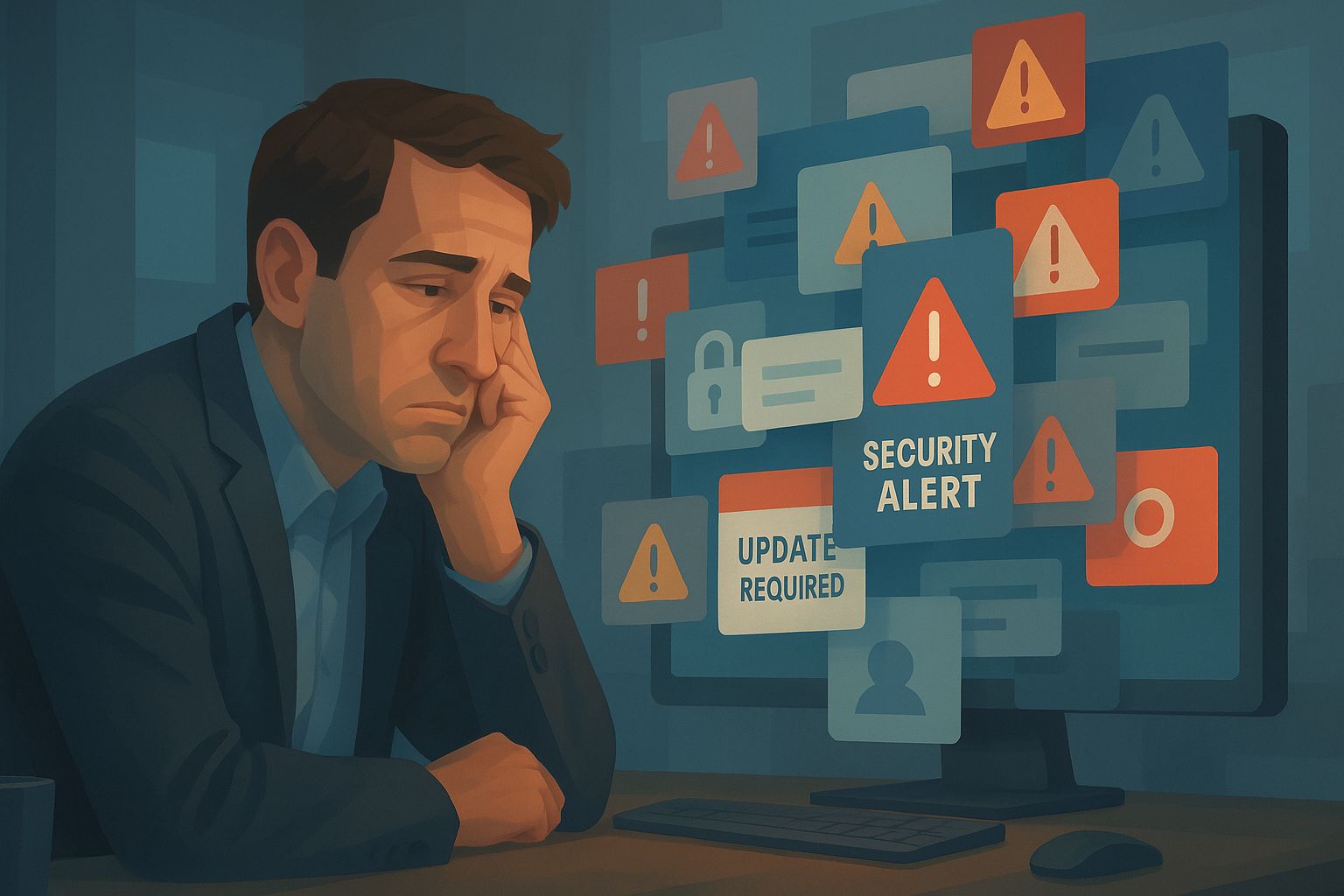
    Frustrated man security alerts computer

    Security Fatigue and Click Regret: Understanding the Human Side of Cybercrime

    /in AI, Articles, Bits & Bytes Newsletter, Cyber Security, IT Support, Managed IT
    Read more
    https://itvisions.us/wp-content/uploads/2025/07/Security-fatigue.png 1024 1536 Leticia Simari https://itvisions.us/wp-content/uploads/2023/02/ItVisions-Logo-web.png Leticia Simari2025-07-30 03:17:512025-08-11 05:47:23Security Fatigue and Click Regret: Understanding the Human Side of Cybercrime
    Futuristic humanoid figure with glowing circuitry, surrounded by virus-like elements and light bursts.

    Open-Source AI vs. Superbugs: The Fight Is On

    /in AI, Articles, Bits & Bytes Newsletter
    Read more
    https://itvisions.us/wp-content/uploads/2025/07/Bug-Hunter-Banner.png 512 1024 Leticia Simari https://itvisions.us/wp-content/uploads/2023/02/ItVisions-Logo-web.png Leticia Simari2025-07-28 02:12:582025-08-11 05:46:41Open-Source AI vs. Superbugs: The Fight Is On
    Man in a white shirt looks shocked at a computer screen displaying a ransomware warning.

    Cyber Alert: Stay Protected Amid Rising Ransomware and Data Breach Threats

    /in AI, Articles, Bits & Bytes Newsletter, Cyber Security, System Monitoring
    Read more
    https://itvisions.us/wp-content/uploads/2025/07/Cyber-Alert-Image.jpg 675 1024 Leticia Simari https://itvisions.us/wp-content/uploads/2023/02/ItVisions-Logo-web.png Leticia Simari2025-07-28 00:00:452025-09-08 09:06:01Cyber Alert: Stay Protected Amid Rising Ransomware and Data Breach Threats
    Cloud Backup

    What to Do When Your Cloud Backup Fails in the US

    /in Articles, Cloud Solutions

    Cloud backup solutions have transformed how businesses in the United States protect their data. While they’re designed to be reliable and robust, cloud backups can sometimes fail, leaving crucial data at risk. Imagine a scenario where a cloud backup system unexpectedly fails, and you can’t access your important files. This can create a real headache, especially if you rely on cloud backups to keep your business running smoothly.

    The significance of having a reliable cloud backup system can’t be overstated for businesses operating in the United States. It’s not just about storing information somewhere safe; it’s about ensuring that you can retrieve this data when needed. As we explore the immediate steps to address a cloud backup failure, you’ll discover practical solutions to prevent data loss and keep your business moving forward with minimal disruption.

    Immediate Steps to Take When a Cloud Backup Fails

    When faced with a cloud backup failure, swift action is crucial. Here’s what you should do right away:

    1. Disconnect from the Network: Start by disconnecting from the network to prevent any further data corruption. This is like pulling a plug on a leaking tap; it stops more water (or data) from spilling out while you assess the situation.

    2. Assess the Extent of the Failure: Determine how extensive the problem is by checking what data is missing or inaccessible. Try to understand the root cause, whether it’s a server crash, software bug, or an internet glitch. Knowing the cause helps in addressing the issue accurately.

    3. Contact Your IT Support Team: Reach out to your IT support or provider without delay. They can offer expert insight and guide you on how to resolve the issue effectively. If you’re managing IT internally, gather your tech team to brainstorm possible solutions and implement the necessary fixes.

    Taking immediate actions like these can significantly reduce downtime and help ensure business continuity. Keep a clear line of communication with your technical support staff to expedite resolutions and restore normal operations as swiftly as possible.

    Common Causes of Cloud Backup Failures

    Understanding why cloud backups might fail is key to preventing it. Several common issues can trigger these failures. Software glitches or bugs are top culprits. Sometimes, unexpected errors in the software running your backup can stop the process altogether. It’s essential to ensure that software is kept up to date and regularly checked for potential faults.

    Internet connectivity issues also play a significant role. Cloud backups rely heavily on a stable internet connection. If there are frequent disconnects or slow speeds, backups may fail or become corrupted. Imagine streaming a movie with constant buffering – annoying, right? Now, picture that happening to your crucial data transfer. It’s clear why having a reliable internet is critical here.

    Storage capacity is another factor to watch closely. If your allocated storage space in the cloud is nearing its limit, new data might not save properly. Monitoring usage and knowing when to upgrade space will help you sidestep this problem. Finally, human error can’t be ignored. Someone might delete files by mistake or misconfigure the backup settings, causing mishaps. It’s a good reminder to double-check what you’re doing and maybe have a colleague review sensitive configuration tasks.

    How to Prevent Future Cloud Backup Failures

    Forewarned is forearmed, they say. Taking proactive steps can greatly reduce the risk of cloud backup failures. Here are some easy measures you can put in place:

    – Regularly update your software and systems. This ensures they run smoothly and any known bugs get patched. Updates often include security enhancements that fortify your backup processes.

    – Maintain stable and sufficient internet connections. This means investing in a good service provider and possibly setting up a backup connection in case the primary one goes down.

    – Keep an eye on storage capacities. Regular audits of your data usage help you know when it’s time to expand your storage. It’s easier to manage space when you’re not scrambling at the last minute.

    – Educate and train staff on proper backup procedures. This is crucial. When everyone knows how to avoid pitfalls and what the best practices are, errors become less frequent.

    Preventing failures is all about staying ahead of potential problems. By adopting these practices, you’re creating an environment where data is more secure and accessible.

    Managing Cloud Backup Failures Effectively

    Cloud backups are generally a solid choice for safeguarding business data. Yet, like any system, they can encounter bumps along the way. Anticipating these challenges and preparing for them helps in keeping operations steady. Whether it’s addressing immediate issues or planning to prevent future problems, the key is in taking consistent and informed actions.

    By following the outlined steps and staying vigilant, businesses can avoid the chaos that comes with data loss. It’s about creating a reliable network where information is safely tucked away and always within reach when you need it most. With the right approach, you can navigate these tech traps and focus on what truly matters: growing your business with peace of mind.

    Keep your business data secure and accessible by choosing the right cloud solutions tailored to your needs. Learn more about how to effectively manage cloud backup in the US through ItVisions’s detailed insights and support. Contact us today to explore our comprehensive range of services that ensure your data is always safe and sound.

    https://itvisions.us/wp-content/uploads/2025/07/Cloud-Backup.jpg 1280 1920 David Melville https://itvisions.us/wp-content/uploads/2023/02/ItVisions-Logo-web.png David Melville2025-07-23 17:00:412025-07-14 05:17:28What to Do When Your Cloud Backup Fails in the US
    Modern Workplace

    Solving Collaboration Issues in Your Modern Workplace Environment

    /in Articles, Modern Workplace

    In today’s world, where technology is at the forefront of business operations, effective collaboration is key to success. Yet, many workplaces find themselves struggling to foster genuinely collaborative environments. This is especially true in larger cities like Melbourne, where diverse teams often work across different time zones and backgrounds. Breaking down barriers and creating a culture that encourages teamwork and open communication is critical. Seamless collaboration is not just about using the right tools; it’s about creating environments where ideas flow freely and teams work in harmony, ultimately boosting productivity and job satisfaction.

    The importance of easy and efficient collaboration can’t be understated. When every team member is on the same page, goals align seamlessly, tasks are completed faster, and the workplace becomes a more enjoyable place to be. A well-connected team can adapt quickly to changes, overcome challenges efficiently, and create innovative solutions. As you explore how to enhance your workplace, consider the real benefits of investing time and resources into building a truly collaborative environment.

    Common Collaboration Challenges in Modern Workplaces

    Despite the many advances in technology, assorted hurdles still impact collaboration. In modern workspaces, one of the common issues is the communication barrier. This often arises from the use of disconnected or outdated communication tools, or simply the lack of an effective communication strategy. When team members aren’t clear on expectations or outcomes, confusion ensues, causing delays and hindering progress.

    Technology can also present its own challenges. Many offices rely on a mix of old and new technologies, creating inconsistencies that frustrate team members trying to work together efficiently. For instance, using incompatible software or hardware can slow down collaborative processes, leaving team members playing catch-up.

    Lastly, differing work styles can lead to friction between coworkers. Some people thrive in fast-paced environments, while others prefer a systematic and deliberate approach. These differences can be tricky if there’s no framework to guide how team members interact and collaborate.

    These challenges can negatively impact productivity and morale. When frustration levels rise, engagement drops, which can lead to declining work quality and increased turnover. It’s important to assess these issues and start addressing them to cultivate a positive and proficient working environment.

    Effective Solutions to Improve Collaboration

    Improving workplace collaboration often begins with smart strategies and the adoption of effective tools. Consider using collaboration software like Microsoft Teams or Slack. These platforms foster communication by allowing team members to share information instantly, ensuring everyone is on the same page. With features such as group chats, video calls, and file sharing, these tools reduce much of the friction that can slow productivity.

    To enhance teamwork, companies should also encourage regular meetings and workshops. Meetings, when done right, can keep everyone aligned on project goals and progress. Workshops offer a space for creativity and solving specific issues in a group setting. These gatherings help address misunderstandings early on and reinforce a culture of openness and feedback. A team that communicates well is more adaptive and innovative.

    Incorporating a few key strategies can make a big difference in team dynamics:

    – Establish clear communication protocols to avoid confusion about project details.

    – Schedule regular check-ins to track progress and address potential roadblocks.

    – Encourage open dialogue by creating a safe space for sharing ideas and concerns.

    Leveraging Technology for Better Collaboration

    Today’s modern workplace often relies heavily on technology, and choosing the right tools can significantly enhance collaboration. Cloud-based platforms, for instance, offer seamless access to documents and project updates from anywhere. This means team members can collaborate in real-time without being physically present in the same office.

    Integrated project management tools also play a vital role. Software like Asana or Trello helps teams organise tasks, assign responsibilities, and follow up on deadlines efficiently. These tools streamline the workload and provide clarity, ensuring that nothing falls through the cracks.

    Adopting such technologies comes with several advantages:

    – Enhances flexibility, allowing remote work without sacrificing productivity.

    – Centralises information for easy access and tracking.

    – Encourages accountability by clearly outlining tasks and deadlines.

    Best Practices for Sustaining Collaborative Efforts

    To keep collaboration thriving, it’s important to adopt sustainable practices. Regular feedback loops, where team members share insights and suggestions, can improve processes over time. Continuous learning opportunities, such as training sessions, help team members stay updated on new tools and methods, keeping collaboration fresh and effective.

    Leadership also has a vital role in shaping how collaboration unfolds. Supporting a culture where feedback is encouraged and valued promotes a more cohesive team. Additionally, celebrating successes and acknowledging collaborative efforts boosts morale and strengthens team ties.

    Implementing these practices ensures a consistent and successful collaborative environment:

    – Create a culture of trust where team members feel valued.

    – Regularly review processes and tools to keep them relevant and effective.

    – Invest in training to help teams learn and grow together.

    By taking these steps, businesses can foster environments where teamwork isn’t just a buzzword, but an ingrained part of daily operations and long-term success strategies.

    Enhancing a modern workplace doesn’t have to be challenging. By adopting effective collaboration strategies and using the right technology, businesses can create an environment where teamwork thrives. To see how you can build a more connected and productive work culture, learn more about how ItVisions can support your goals through a modern workplace approach.

    https://itvisions.us/wp-content/uploads/2025/07/getty-images-8J8s4UrGxcw-unsplash.jpg 1281 1920 David Melville https://itvisions.us/wp-content/uploads/2023/02/ItVisions-Logo-web.png David Melville2025-07-16 12:00:352025-07-08 15:09:57Solving Collaboration Issues in Your Modern Workplace Environment
    Unstable Networks

    How to Fix Unstable Network Connections in Multi-Office Environments

    /in Articles, Network Solutions

    Maintaining stable network connections across multiple offices is a significant challenge for many businesses. In a city like Melbourne, known for its diverse business landscape, seamless connectivity is critical for operations. Companies rely on stable networks to coordinate activities, communicate with clients, and ensure uninterrupted service delivery. However, various factors can lead to network instability, causing disruptions that affect productivity.

    The importance of reliable network connections can’t be overstated. An unstable network may result in delayed responses, interrupted communication, and sometimes lost data, which can all hurt a business’s reputation and efficiency. Understanding what causes these issues and how to address them can help maintain smooth operations, whether you’re in the heart of Melbourne or any similar digital hub.

    Identifying Common Causes of Unstable Network Connections

    Understanding the root causes of network instability is the first step in addressing them. Here are some typical issues that can lead to network troubles, especially in an environment where multiple offices are connected:

    – Hardware Failures: Routers, switches, and other physical components can wear out or fail, leading to interrupted connectivity. Ensuring regular maintenance checks and timely replacements can mitigate hardware-related issues.

    – Software Bugs: Networks rely heavily on software to function correctly. Bugs or outdated software can cause glitches or complete failures. Regular updates and patches help keep software running smoothly.

    – Inadequate Bandwidth: As companies grow and data usage increases, insufficient bandwidth becomes a problem. It’s crucial to assess the network’s capacity and upgrade as necessary to accommodate growing demands.

    Varying office locations and setups add another layer of complexity. Different environments may face unique challenges, such as interference from external networks or materials that block signals. An office in a high-rise building may experience different connectivity issues compared to one in a suburban setting.

    Recognising these factors and their impact on network stability allows businesses to put effective strategies in place to overcome potential hurdles. This in-depth understanding ensures that companies remain connected, competitive, and capable of meeting their operational demands.

    Implementing Effective Network Solutions

    Addressing stability issues is essential for maintaining smooth network operations across different office locations. Employing targeted network solutions can help solve these challenges. One approach is upgrading to a managed network service. This type of service provides continuous monitoring, ensuring network components function properly and any potential problems are dealt with immediately.

    Another effective method involves improving network infrastructure. Installing high-quality routers and switches can enhance system performance by offering more reliable connections. Additionally, using structured cabling helps avoid the tangled mess that can lead to poor connectivity. It’s also important to perform regular audits to identify any weak points in the infrastructure that might need attention.

    Here’s a quick list of actions to boost network stability:

    – Regular firmware updates to ensure all devices operate with optimal security and performance.

    – Using redundancy techniques like dual internet connections to provide a backup in case the primary one fails.

    – Implementing a bandwidth management plan that prioritises critical business applications.

    Leveraging Advanced Technologies for Stability

    Technologies such as SD-WAN and cloud services have revolutionised network solutions, offering new ways to ensure stable connections. SD-WAN, or Software-Defined Wide Area Network, uses software to manage network traffic, making it adaptable to various conditions. It optimises data flow and minimises bandwidth limitations by intelligently routing traffic along the best paths.

    Cloud services play a crucial role in maintaining network stability too. By hosting applications and data in the cloud, businesses lessen the dependency on physical servers at each location. This setup can dramatically reduce the pressure on local networks, especially for businesses with high data demands.

    An example of these technologies in action is a company that uses SD-WAN to keep its main office connected to a satellite office in a remote area. This ensures both locations have equal access to vital resources without overloading the network.

    Wrapping Up

    Stable and secure network connections form the backbone of efficient operations in any multi-office setup. By understanding the common causes of instability and implementing targeted solutions, businesses can maintain seamless operations. Technologies like SD-WAN and cloud services provide advanced options that streamline data flow and improve reliability, making them invaluable for businesses looking to enhance their network performance. As you consider improvements, keep these key strategies in mind to ensure your network serves your business needs effectively.

    To maintain a seamless operation across different office locations, integrating effective network solutions is key. Explore how ItVisions’s expertise in crafting tailored network solution strategies can enhance connectivity and reliability for your business. For more insights and support, reach out to our team anytime.

    https://itvisions.us/wp-content/uploads/2025/06/getty-images-Ij8lT1P_xMs-unsplash.jpg 1202 1920 David Melville https://itvisions.us/wp-content/uploads/2023/02/ItVisions-Logo-web.png David Melville2025-07-09 05:00:252025-06-30 22:05:32How to Fix Unstable Network Connections in Multi-Office Environments
    Cloud Technology

    Integrating Cloud Technology Services with Your Existing Systems

    /in Articles, Cloud Solutions

    Cloud technology is reshaping how businesses operate, offering a flexible and efficient approach to managing resources. This transformation doesn’t mean starting from scratch or overhauling existing assets; instead, it involves integrating these services into what a company already uses. For businesses in Melbourne, this process becomes particularly relevant given the unique challenges and opportunities in the area.

    One key allure of cloud services is their ability to adapt and grow as business demands change. Companies find that cloud technology provides a way to easily upscale or modify their operations without continuous investments in physical infrastructure. This adaptability optimises resources and minimises overhead, making it easier to focus on core business tasks. Let’s explore how cloud technology services can integrate seamlessly with your current systems to enhance operations without causing disruptions.

    Understanding Cloud Technology Services

    The concept of cloud technology services can initially seem complex, but it is straightforward when broken down into its key components. Essentially, cloud technology allows businesses to store and manage data and applications over the internet instead of relying solely on local servers and computers. This shift can lead to significant cost efficiencies and provide businesses with the ability to scale their operations swiftly.

    Here are some core components of cloud technology services:

    – Infrastructure as a Service (IaaS): Provides virtualised computing resources over the internet, eliminating the need for traditional hardware.

    – Platform as a Service (PaaS): Offers a platform allowing customers to develop, run, and manage applications without dealing with the underlying infrastructure.

    – Software as a Service (SaaS): Delivers software applications over the internet, accessible from various devices, which reduces the need for individual installations on local machines.

    Using these services, a company can improve scalability, ensuring they have the resources needed without excessive investments. Scalability means businesses can easily adjust their operations according to demand. For example, a retail company might require extra resources during a holiday season, and cloud services make it simple to scale up without replacing existing equipment.

    Additionally, cost savings are a major benefit. Cloud services reduce the need for maintaining extensive hardware, as everything is managed online. This change lowers operational costs and frees up funds for reinvestment in other areas of the business.

    Overall, cloud technology services offer efficient solutions that align with evolving business requirements, making them a valuable asset for companies looking to stay competitive and agile in today’s fast-paced market.

    Assessing Your Current Systems

    Before jumping into the integration of cloud technology, it’s essential to take a close look at what you already have. Understanding the current setup of your systems helps in planning and executing the integration without causing any hiccups. Here’s how you can conduct a thorough assessment of your IT infrastructure:

    1. Inventory Your Assets: Start by making a detailed list of all the hardware and software currently in use. Understand what each component does and how critical it is to your daily operations.

    2. Evaluate System Performance: Check if your systems are meeting performance expectations. Look for areas where there are consistent delays or breakdowns.

    3. Identify Security Protocols: Review the security measures in place. Determine any gaps that might expose your business to risk during the integration.

    4. Consult Your Team: Gather feedback from employees as they can provide insights on what works well and what doesn’t. Their input can pinpoint inefficiencies that might not be immediately obvious.

    5. Future-Proofing Needs: Consider the growth plans of your business. Think about how the current systems will need to adapt to these changes and what role cloud technology can play.

    By thoroughly evaluating your current systems, you can plan for a smoother transition to cloud technology. This phase is crucial as it lays the groundwork for the actual integration, ensuring there aren’t any nasty surprises down the road.

    Steps to Seamless Integration

    With a clear understanding of your existing systems, you can move to the integration process. Having a structured plan ensures you get the most out of cloud technology while avoiding any disruptions.

    – Choose the Right Provider: Not all cloud service providers are the same. Look for one that aligns with your specific business needs and can support custom integrations.

    – Plan Data Migration: Transferring data safely and efficiently is key. Prioritise data that’s critical to operations and ensure backups are in place.

    – Secure Your Systems: Integration can expose vulnerabilities if not handled properly. Strengthen security measures to protect sensitive information during the transition.

    – Train Your Team: Make sure your team is comfortable with the new systems. Training sessions can help them adapt quicker and prevent productivity drops.

    – Monitor the Transition: Track the integration process closely. Monitor performance metrics to identify any issues early and address them promptly.

    Taking these steps makes the integration process smoother, and having detailed preparation negates potential stumbling blocks. A seamless integration maximally leverages cloud technology, boosting efficiency and adaptability.

    Overcoming Common Challenges

    Integrating cloud technology with existing systems isn’t without its challenges. However, being aware of potential obstacles can better prepare you to handle them effectively.

    – Data Migration Issues: One common challenge is data loss during migration. To mitigate this, double-check backup protocols. Use testing environments to verify results before fully committing to the switch.

    – Compatibility Concerns: Ensure that new cloud systems are compatible with existing applications. Opt for hybrid models if necessary, allowing gradual transitions rather than an all-or-nothing approach.

    – Staff Resistance: Employees may resist change due to unfamiliarity. Bring them into the conversation early and address their concerns. Demonstrating the benefits can help reduce anxiety and foster a more cooperative atmosphere.

    – Unforeseen Costs: Keep an eye on hidden costs that can arise. Establishing clear, ongoing communication with your provider helps anticipate and account for these expenses.

    By acknowledging these challenges and preparing for them, the likelihood of a successful cloud integration improves markedly. Tapping into external expertise could offer a fresh perspective and guidance through tricky parts of the process.

    Making the Cloud Work for Your Business

    After a successful integration, the aim is to continually harness the advantages cloud technology brings to your business. Continuous assessment and tweaking ensure that your systems constantly meet evolving demands.

    – Regularly review performance metrics to identify areas for improvement.

    – Keep updating security protocols to stay ahead of potential threats.

    – Sustain open lines of communication with your team. Their feedback will indicate if further training or adjustments are needed.

    – Encourage a culture of innovation, where cloud tech is seen not just as a tool but as a catalyst for creative business solutions.

    Cloud technology has the potential to significantly transform how your business operates, improving both efficiency and responsiveness. By integrating cloud solutions into your existing systems, you position your business to tackle future challenges with greater flexibility and foresight.

    Leverage the power of cloud technology services to transform your business operations. By integrating seamlessly with your current systems, you can improve efficiency, cut costs, and stay agile. Discover how ItVisions can help you make the most of advanced solutions. Explore more about how our cloud technology services can make a difference in your organisation.

    https://itvisions.us/wp-content/uploads/2025/06/Cloud-Technology.jpg 1282 1920 David Melville https://itvisions.us/wp-content/uploads/2023/02/ItVisions-Logo-web.png David Melville2025-07-02 17:00:322025-10-22 23:22:38Integrating Cloud Technology Services with Your Existing Systems
    Page 3 of 12‹12345›»

    Browse Categories

    • AI
    • Articles
    • Bits & Bytes Newsletter
    • Cloud Solutions
    • Cyber Security
    • IT Support
    • Managed IT
    • Mining & Resources
    • Modern Workplace
    • Network Solutions
    • System Monitoring
    • Technology Consulting
    • Uncategorized

    ISO27001 Certified. Great Place To Work Certified.

    Our Services​

    Modern Workplace
    Managed IT
    Mining & Resources
    System Monitoring
    Cloud Solutions
    Network Solutions
    Technology Consulting

    Contact Us

    • contact@itvisions.us
    © 2025 Copyright - ItVisions   |   Privacy Policy   |   Environmental Policy
    • LinkedIn
    Scroll to top

    Thank you!

    Name(Required)

    Book your free 15 minute Roadmap Call

    Name(Required)
    • Download our Modern Workplace Brochure


      Please complete the form below to download your copy of our Modern Workplace Brochure.
    • Download our Essential Eight + Brochure


      Please complete the form below to download your copy of our Essential Eight + Brochure.