


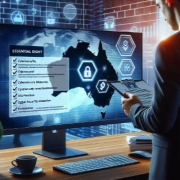

Phishing attacks are a type of online scam that aims to trick people into revealing sensitive information, such as passwords, credit card numbers, or personal information. These attacks are becoming increasingly sophisticated, making it more difficult to spot them. It’s important to educate your business’s employees about the threat of phishing attacks and how to recognize them.
What is a phishing attack?
Phishing attacks are usually carried out via email, text messages, or social media platforms. The attackers often disguise themselves as legitimate companies or organizations and use tactics such as urgent messages, enticing offers, or fake login pages to trick people into providing sensitive information.
How to recognize a phishing attack
How to prevent phishing attacks
Phishing attacks are a serious threat to all businesses, and it’s important to educate all employees about the dangers of phishing attacks and how to recognize them. By following these tips and implementing best practices, you can help protect your business from the devastating effects of phishing attacks.

It’s a busy world. I am busy, you are busy. Even our kids are busy… Busy, busy busy!!!
Technology is changing at a rapid pace. Very few of us have the time (or the inclination) to keep up with it.
Even if you did have the time to keep up with technology change in your industry, chances are you would not have the time to think strategically about it, analysing, comparing and contrasting the different tech options to decide which best fits your specific businesses problems. You are probably just too busy, right?
In today’s business world where everyone has got a degree (or two), the nature of work, especially knowledge work, has become increasingly specialised. Think about Law for example. Not too long ago we used to study Law and become a Lawyer. You could specialise in criminal, family, commercial and tax law. Nowadays there is a specialisation for law in all walks of life; banking, environmental, media, consumer, international, civil, public administration…. and the list goes on. IT has gone down the same path. Not too long ago we used to study IT and become an IT Nerd (or their less helpful cousins, Geeks). You could specialise in hardware, software application development or infrastructure. Nowadays there is a specialisation for architecture, artificial intelligence, IOT, machine learning, cloud, cyber security, networking, communications, data management….and so on and so forth.
Within this context, as your SME grows and changes to suit the shifting commercial environment, you have a couple of options:
A vCIO (Virtual Chief Information Officer) is a high-level IT professional who provides strategic guidance and leadership to a company, but does so remotely, typically through a Managed Services Provider (MSP). The vCIO acts as an outsourced CIO, delivering the same benefits as an in-house CIO without the high cost of employing a full-time executive.
A vCIO provides a wide range of services, including:
The vCIO model is becoming increasingly popular for small and mid-sized businesses, as it allows them to access high-level IT leadership and expertise at a fraction of the cost of employing a full-time CIO.
With over 25 years of experience in the IT industry, ItVisions is well-equipped to provide businesses with the high-level IT leadership and expertise they need to succeed. Our team of experts has a deep understanding of the various industries and the unique needs of each, and we are always available and responsive whenever you have a need.
ItVisions believe that every business deserves access to the best IT support and services, regardless of size or budget. That’s why the business offers a comprehensive vCIO service, designed to provide clients with the same benefits as an in-house CIO, but at a fraction of the cost.
Whether you’re looking for help with IT strategy and planning, budgeting and cost management, risk management, vendor management, or technical expertise, ItVisions has the experience and expertise to deliver. The vCIO service, you can rest assured that your business is in good hands, and that your IT investments are delivering the results you need to succeed.
So if you’re looking for a reliable and experienced IT provider to support your business growth, look no further than ItVisions. We’re here to help, and we’re ready to get started.

Since the inception of COVID-19 there has been a significant increase in people working from home, and as lockdowns and restrictions ease people are remaining at home. COVID has redefined the modern workplace and consequently, IT support and digital and cybersecurity protocols need to keep up with this evolution to ensure protection for your business and workforce. Whilst working home has a wide range of benefits it can open businesses and staff to cybersecurity risks and as a result, precautions and considerations should be taken to reduce any cybersecurity threats. Common cybersecurity issues, such as phishing, are typically managed by office digital and IT support departments; however, when your workforce is dispersed it can be challenging to manage these cyber attack attempts. With a cyber attack occuring every 39 seconds, it’s never been more important to ensure you are protected. Thankfully, there are measures and precautions that can be taken by a remote workforce to reduce the likelihood of any cyber issues.
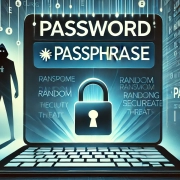
One of the easiest ways to protect yourself when working from home is to ensure that you are using a strong and unique password to maximise your password protection across devices and platforms.
It is recommended that you have a unique password for each device and platform, so that should one be breached your other platforms are not impacted. Your password should include a variety of symbols, numbers, upper and lower case letters, and not be something easily guessed like a pet’s name or your birthday. Changing your passwords regularly can also help mitigate any potential breaches, as old passwords become devoid of value once updated and can’t be used in a cyber attack should they become compromised.
With a wealth of malware out there, investing in a highly secure antivirus software is invaluable for your business and your team.
As hackers are evolving their techniques and strategies to exploit vulnerabilities of those working from home, these attacks could leave your business open to DDoS attacks, malware, spyware, and ransomware attacks. Antivirus software can help protect your business across a variety of breaches including malware, spyware and viruses, trojans, worms, phishing scams, and zero-day attacks.
Running in the background, antivirus software is one of the best strategies to utilise to keep you and your business safe and protected.
Multi-factor authentication is a security measure that requires multiple proofs of identity for verification prior to granting access to a platform or device. To do this, the software requests a combination of something the user would know (pin, privacy question), something they have (card, token), or something unique to the individual (fingerprint, eyescan).
As multi-factor authentication is quite challenging to bypass, incorporating this level of authentication mitigates potential breaches and can alert you to a breach attempt should one occur.
Patches refer to software and operating system updates that address security weaknesses within a software application or product. When software updates become available, vendors will typically make them available for download on their website or via an app store if it’s a mobile device. Installing these updates as soon as they become available can help to protect your phone, laptop, computer, and other devices against digital and cyber attacks.
Take care to ensure that any updates that are downloaded from trusted vendor sites, and that you are not downloading software via a link in an email. Attackers will often use emails to direct users to malicious sites under the guise of a legitimate site or service and as a result, users will inadvertently download malware to their device.
Cybersecurity can be intimidating, particularly when your workforce is remote or you don’t have experience within the field. ItVisions specialise in cybersecurity for businesses of all sizes. Utilising the ACSC Essential Eight, a series of baseline strategies extracted from the ‘Strategies to Mitigate Cyber Security Incidents Document’, ItVisions’s IT Support can help you to maximise your digital security. To learn about how you can improve your cybersecurity and ensure your business and workforce are protected from cyber threats and attacks, reach out to our expert team today!