
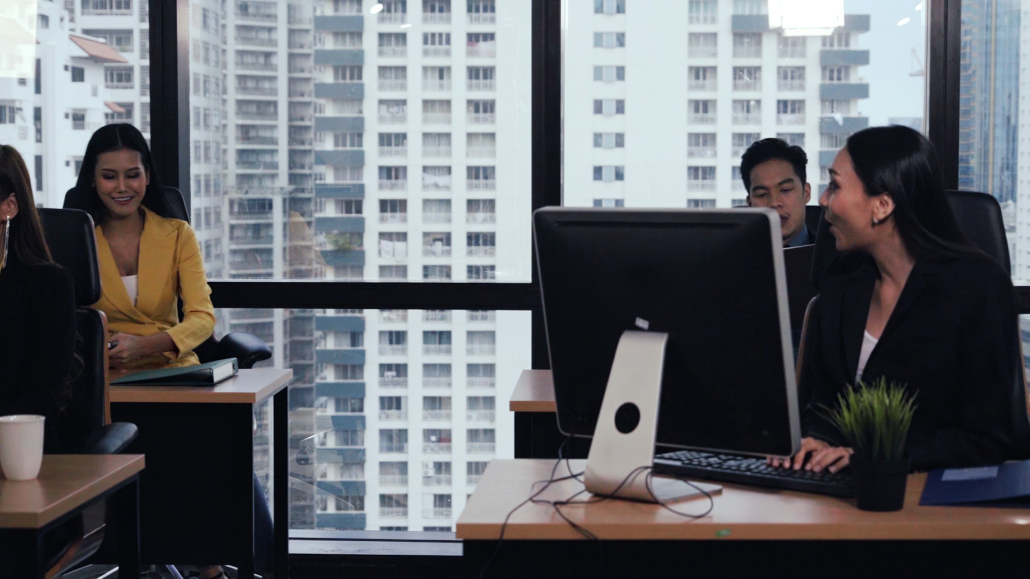
Tech Upgrades for a Modern Workplace
Technology is transforming workplaces into more efficient and flexible spaces. With the right tech upgrades, businesses can boost connectivity and enhance collaboration among team members, whether they’re in the office or working remotely. These changes not only make daily operations smoother but also prepare companies for future challenges by ensuring they stay agile in an ever-evolving digital landscape.
A strong tech foundation involves updating network infrastructure and adopting tools that facilitate seamless communication. Security is also crucial as companies move more operations online, necessitating advanced measures to protect data. Embracing automation helps streamline tasks and frees up valuable time for your team to focus on strategic activities.
Flexible work environments are becoming the norm, and modern technology supports this shift by offering tools that facilitate remote and hybrid work models. By embracing these changes, businesses can create a workspace that is functional and empowering for their employees.
Enhancing Connectivity and Collaboration
Upgrading Network Infrastructure
A strong network infrastructure is essential for any modern workplace. It acts as the backbone, allowing for smooth communication and data transfer. To improve connectivity, consider upgrading to a high-speed fibre-optic internet. This ensures stable and fast internet access, accommodating more users and devices without slowing down the process.
Additionally, implementing a robust Wi-Fi system with strategic placement of access points extends reliable connection across all areas of the office. This setup prevents dead zones and minimises interruption during important tasks.
Invest in network switches and routers that can handle increased data loads. Look for features such as Quality of Service (QoS), which prioritises critical tasks or applications, ensuring they get the bandwidth needed.
Maintaining network health is crucial. Use system monitoring tools to track performance and detect issues before they escalate. This helps in making informed decisions about when further upgrades may be necessary.
Collaborative Tools for Remote Teams
With remote work becoming common, equipping teams with the right tools is vital for seamless collaboration. Video conferencing platforms, like Zoom or Microsoft Teams, enable face-to-face meetings no matter where your team is located. These tools support chat, file sharing, and integrated calendars to streamline communication.
Project management tools such as Trello or Asana help in organising tasks and deadlines. They allow team members to track progress and stay on top of their responsibilities with ease.
For document collaboration, services like Google Workspace or Microsoft 365 offer cloud-based solutions. These allow multiple users to work on documents simultaneously, ensuring everyone has access to the latest version.
Equipped with the right tools, teams can communicate effectively and maintain productivity levels whether they’re working in the office or from home.
Improving Security and Data Protection
Implementing Advanced Cybersecurity Measures
As cyber threats become more sophisticated, businesses need to boost their defences. Start by implementing a firewall and antivirus software to guard against malware and unauthorised access. Regularly updating these systems keeps them effective against the latest threats.
Consider using multi-factor authentication (MFA) for all user accounts. MFA adds an extra layer of security by requiring additional verification steps, such as a code sent to a mobile device, making it tougher for unauthorised users to gain access.
Employee training is pivotal. Educate your staff about recognising phishing attacks and the importance of safeguarding sensitive information. Awareness is a vital component in preventing security breaches.
Regular security audits and vulnerability assessments identify potential weaknesses in your system, allowing you to address them proactively. Enlist experts or use automated tools to conduct these checks effectively.
Utilising Secure Cloud Solutions
Storing data on the cloud offers enhanced security features. Cloud providers invest heavily in securing their platforms, often offering better protection than on-premises solutions.
Encryption is key in cloud storage, ensuring data remains unreadable to unauthorised users. Look for services that offer end-to-end encryption and regularly update encryption protocols.
Cloud solutions enable backup and recovery plans, which are crucial for data protection. In the event of a data loss incident, these plans ensure critical information is retrievable, minimising downtime.
By adopting advanced security measures and utilising secure cloud solutions, businesses can protect their sensitive data while ensuring seamless and secure access.
Streamlining Operations with Automation
Benefits of Automation in Daily Tasks
Automation in the workplace simplifies repeated processes, which frees up time for teams to focus on more strategic tasks. Using automation reduces human error, as tasks are completed consistently and accurately. For businesses, this means higher productivity and improved efficiency without increasing the workload on employees.
Automating routine tasks is beneficial in managing inventory, processing data entries, and handling customer inquiries. Automation tools can handle these repetitive tasks quickly, allowing businesses to run smoothly. Moreover, automated systems can work 24/7, ensuring that essential operations continue without downtime, which is especially useful in customer service roles.
Automisation enhances agility, allowing businesses to adapt to changes more quickly. Teams can focus on improving processes, ensuring they remain competitive and responsive to market demands.
Key Tools for Workflow Automation
Adopting the right automation tools is crucial for streamlining operations. Several tools are available to assist, depending on your needs.
1. IFTTT (If This Then That): Connects different apps and devices, enabling automated actions when certain conditions are met.
2. Zapier: Connects apps and automates workflows, allowing data to move between them effortlessly.
3. Power Automate: Automates workflows across Microsoft services, helping businesses manage complex processes easily.
4. Trello: While primarily a project management tool, it offers automation features to simplify task management.
These tools help manage tasks efficiently, improve coordination among team members, and foster productivity.
Embracing Flexible Work Environments
Modernising Office Spaces with Tech
Modernising office spaces involves integrating technology that supports flexibility and productivity. Start with smart office solutions like interactive displays and wireless charging stations, which enhance convenience and efficiency.
Adopt IoT devices to automate lighting, temperature, and even security systems. These smart solutions contribute to a comfortable office environment while optimising energy usage. Include adjustable workstations, which offer flexibility for different working styles and promote better posture and health.
Video conferencing systems are essential for connecting with remote colleagues and partners. Equip spaces with the latest audiovisual technology for seamless communication and presentations.
Supporting Remote Work with Appropriate Tools
Successfully supporting remote work requires the right set of tools. Virtual private networks (VPNs) ensure secure access to company resources from any location. This security makes remote work not only possible but also safe.
Cloud-based productivity suites like Google Workspace or Microsoft 365 allow remote teams to collaborate and access files in real time. These tools eliminate the geographical barriers to teamwork. Communication platforms like Slack or Microsoft Teams facilitate instant messaging and video calls, keeping everyone in the loop.
Project management tools are also vital. They keep projects on track and ensure deadlines are met, regardless of where team members are located. With the right tools, remote work becomes an extension of the office environment, maintaining productivity and engagement.
Bringing It All Together
Upgrading to a modern workplace involves making strategic choices about which technologies to integrate and how to implement them effectively. Enhancements in connectivity, security, automation, and flexibility create an environment primed for efficiency and growth.
These updates not only address current challenges but also future-proof businesses. By creating an adaptable workspace, businesses can attract talent, improve employee satisfaction, and increase overall productivity. Technology plays a key role in fostering collaboration, creativity, and innovation.
Implementing these upgrades provides a solid foundation for modern workplaces. It’s about creating spaces where employees can work effectively and comfortably, supported by the latest advancements in technology.
For businesses looking to upgrade their technology solutions, ItVisions provides the expertise and services needed to transform your workplace effectively. As your business technology partner, we offer tailored network, cloud, and security solutions, as well as ensure your business remains competitive in today’s fast-paced world. Reach out to us to start your journey towards a more efficient and flexible workplace.