

• LinkedIn
    ItVisions | IT Support | Managed Service Provider | DE
    • Home
    • About Us
      • Why Choose Us
      • Careers
    • Our Services
      • Managed IT Services
      • Mining & Resources
      • System Monitoring
      • Cloud Solutions
      • Network Solutions
      • Modern Workplace
      • Technology Consulting
    • Our Industries
    • Contact Us
    • Search
    • Menu Menu
    Clinical System

    Uptime Matters: Ensuring Clinical Systems Never Go Dark

    /in Articles, System Monitoring

    Clinical systems never take a break, and neither do the teams keeping them ticking over. If you work in healthcare, you recognise how high the stakes are. A single outage can cause real problems. It might slow down treatment, cause errors in patient records, or chip away at the trust your community has in your care.

    What helps most is not just reacting to problems, but planning ahead so those problems never appear. You want smart monitoring, a solid foundation of infrastructure, and a way to bounce back quickly if anything goes off track. These building blocks help clinical operations run with less stress, even during the odd tough patch, so patients stay safe and your team feels more in control.

    Reducing Risk Starts with Visibility

    If something does go wrong in a clinical system, speed becomes the most important thing. That is why constant monitoring is far more than a simple add-on. It is a way to see problems before they spiral. When you have that “second set of eyes” across all systems, you spot trouble early.

    Set up right, automated alerts can notify your team about unexpected drops in performance, hardware blips, or suspicious traffic, and they do it long before those issues become outages. You can’t always rely on someone picking up every odd detail on their own. Reliable reporting means you get clear, tidy overviews that highlight patterns and weak spots. Over time, these reports help you spot the start of a problem before you’re dealing with downtime.

    Think of it like this, spotting a single leak early is always easier than mopping up a flood. When you can see the whole system, even little issues stand out and can be fixed before they become something bigger. True visibility makes it much easier to act with confidence.

    Build Resilience through Redundancy

    Hospitals can’t afford to have systems that rely on just one part working perfectly. Redundancy doesn’t mean extra bells and whistles, it means not putting all your eggs in one basket. For clinical systems, building in extras such as mirrored data storage or backup internet connections means services keep running even when something fails.

    Mirrored storage is the type of backup that keeps patient data safe and accessible even if one server suddenly stops working. You won’t have to scrabble around searching for missing records. Meanwhile, secondary internet lines keep everything connected, which is a huge help during vital hospital routines like shift changes, telehealth appointments, or emergency admissions. These seem like little measures, but in a high-pressure hospital environment, they make all the difference.

    Automatic failover is another handy advantage. If a key part of your network drops, failover tools instantly switch operations to another server or line. No manual resets, no middle-of-the-night calls, just quiet, reliable service. This approach not only saves hassles for the IT team, but supports uninterrupted care for patients.

    At ItVisions, managed IT network services are structured to provide proactive monitoring and management, so these kinds of failover and backup systems get checked before you need them.

    Disaster Recovery Isn’t Just for Disasters

    Hear “disaster recovery” and you might picture only big headlines like ransomware or floods. But often it is the small hiccups that cause a bigger headache, things like accidental file deletion, the wrong update, or a quick local power cut.

    This is where disaster recovery as a part of the usual routine comes in. Backups aren’t just boxes to tick for compliance. They need to happen regularly, be stored off-site where they’re safer from unexpected trouble, and be tested much like you run a fire drill, so you know they’ll work when you need them.

    When something does go wrong, you want a plan so every staff member knows what to do. No racing around, no confusion, just quick, steady action. These response plans, paired with solid support from external managed IT providers, keep teams calm on stressful days. Clear roles give the whole hospital the confidence that recovery is just another process, not an emergency.

    A cloud-based backup solution, like those delivered by ItVisions, safeguards clinical and business data, making sure information remains recoverable in any scenario.

    Balancing Uptime with Team Bandwidth

    The reality for hospital IT is that there’s always more work than hours in the day. Most hospital IT managers juggle everyday running fixes with big, long-term compliance jobs. Small teams watch systems around the clock, but with never-ending updates and compliance requirements, things can get swamped.

    Trying to stretch already pressed staff for more projects or sharper compliance can lead to burnout. This is when it helps to look for managed support. Letting a trusted partner handle network monitoring, patching, or backup checks is not about losing control, but about giving your own staff breathing room to focus on the parts nobody else can do.

    Support from outside can also help with the things that eat up time and energy, like compliance prep, gap checks, and audit paperwork. Instead of trying to know every technical rule, managers can rely on experts to keep things up to scratch and ready for assessments. Many hospital teams start breathing easier once they realise that external support is not an admission of defeat; it is simply a smarter way to share responsibility.

    Staying Online Keeps Patients First

    The real point of uptime and resilience is not technology, but people. Smoother systems mean nurses waste less time staring at spinning wheels, doctors can pull up results fast, and patients move through their care more easily.

    Dependable IT is about making sure little cracks don’t grow into gaps that stop care. With regular checks, working plans, and the right kind of back-up, both the technical team and the people they support start to feel less on edge. The difference grows clearer with every quiet night shift, every smooth handover, and every patient who gets prompt, safe care.

    That sense of trust is built over time. Every seamless interaction, every error-free patient move, and every quick system recovery builds a hospital community where both clinicians and patients know they’re in safe hands. Knowing help is always there, whether that’s monitoring, backup, or a calm voice at the other end of the phone, keeps care running at its steady best, no matter what the day or night brings.

    Keeping clinical systems running isn’t about luck; it’s about having the right support, the right checks and the right team behind you when things get tight. When your IT crew is working around the clock with little room to spare, sharing the load can make everyone breathe easier. We help healthcare teams stay steady with ongoing monitoring, patching and smart updates as part of our broader approach to managed IT network services. At ItVisions, we understand what’s at stake when systems stall, and how to keep that from happening. Let’s talk about what would make your workday smoother.

    https://itvisions.us/wp-content/uploads/2025/10/Clinical-System.jpg 1281 1920 David Melville https://itvisions.us/wp-content/uploads/2023/02/ItVisions-Logo-web.png David Melville2025-10-22 05:00:182025-10-22 07:08:02Uptime Matters: Ensuring Clinical Systems Never Go Dark
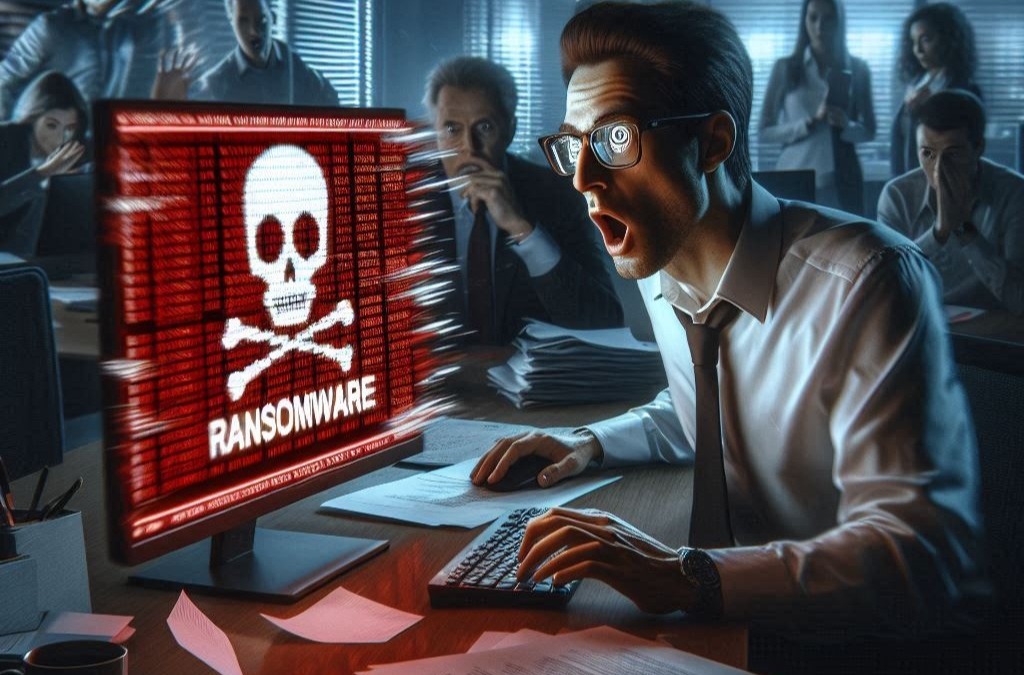
    Man in a white shirt looks shocked at a computer screen displaying a ransomware warning.

    Cyber Alert: Stay Protected Amid Rising Ransomware and Data Breach Threats

    /in AI, Articles, Bits & Bytes Newsletter, Cyber Security, System Monitoring
    Read more
    https://itvisions.us/wp-content/uploads/2025/07/Cyber-Alert-Image.jpg 675 1024 Leticia Simari https://itvisions.us/wp-content/uploads/2023/02/ItVisions-Logo-web.png Leticia Simari2025-07-28 00:00:452025-09-08 09:06:01Cyber Alert: Stay Protected Amid Rising Ransomware and Data Breach Threats
    System Monitoring

    Warning Signs Your System Monitoring Tools Are Not Working Properly

    /in Articles, System Monitoring

    System monitoring plays a key role in keeping your business running smoothly. By providing insights into how your technological operations are performing, it helps ensure everything stays on track. However, what happens when these essential tools stop functioning as they should? The issue isn’t just about missing an alert here or there; a failure in system monitoring can lead to serious operational glitches. Identifying the warning signs early can save your business from unnecessary headaches and costs, allowing you to address the problems before they escalate.

    Ever wondered if your current system is actually providing the reliability you expect? It can be tricky to tell, especially if you’re not an IT expert, but being aware of the common signals of failing system monitoring tools can make a big difference. By paying attention to these signs, you can maintain a stronger grip on your business operations and avoid unexpected surprises. So, let’s delve into some specific indicators that might suggest all is not well with your system monitoring tools.

    Unresponsive Alerts

    Imagine a fire alarm that doesn’t sound when there’s smoke. In the digital realm, unresponsive alerts can be just as risky. Alerts are critical in notifying you about potential issues within your system, and when they stop working, problems go undetected, impacting your business operations.

    One common cause of unresponsive alerts could be improperly configured settings. If the alerts are not set up to watch the right aspects of your system, they won’t trigger when they should. Similarly, outdated software can lead to compatibility issues, causing alerts to fail. Overlooking these details can lead to missed incidents, leaving problems to grow unchecked.

    Some businesses have experienced significant data loss or production downtime simply because their system monitoring alerts failed to notify them of issues promptly. Understanding why these alerts might not be reaching you is crucial, whether it’s outdated software or wrongly adjusted settings, identifying the root cause can help you restore their reliability and safeguard your business’s health.

    Frequent System Downtime

    When your system starts to experience regular interruptions, it might not just be bad luck. Frequent system downtime often signals underlying issues with your monitoring tools. System downtimes can be frustrating, causing missed deadlines, unhappy customers, and a dip in productivity.

    One potential cause of frequent downtime can be insufficient system resources not being flagged by monitoring tools. If your system consistently runs out of memory or processing power without prior warning, it’s likely because your monitoring tools aren’t accurately assessing and reporting these metrics.

    To determine if your monitoring issues are to blame for downtime, consider examining your logs to see if alerts were issued correctly or overlooked due to configuration errors. By pinpointing these inefficiencies, you’ll have a clearer plan for addressing the downtime, thus improving system reliability and overall business performance.

    Delayed Data Reporting

    Ever waited for an important message, only for it to come hours too late? That’s what delayed data reporting might feel like in the world of system monitoring. Timely data is a cornerstone of effective system management. When data reports are delayed, the risk of making decisions based on outdated information increases, potentially leading to unnecessary or even harmful actions.

    Delayed reporting might result from several issues. Bandwidth limitations or network congestion can stretch the time it takes for data to reach your monitors. Similarly, outdated hardware may struggle to keep up with data processing demands, causing lag. If your reports consistently show up late, it might be time to check if any of these factors are impacting your system.

    To tackle this issue, a thorough review of your current hardware capabilities and network setup could help. Are your bandwidth settings sufficient? Is your hardware outdated? Regularly updating your systems and ensuring they are well-equipped to handle data processing demands will keep delays to a minimum and ensure your business is making well-informed decisions.

    Inconsistent Performance Metrics

    Think of inconsistent performance metrics like trying to measure speed with a broken speedometer. It’s hard to know if you’re slowing down or speeding up. Consistency in metrics is vital for monitoring the health of your IT systems effectively. Variability in data can make it difficult to identify trends and spot issues before they turn into major problems.

    Inconsistent metrics can stem from a number of sources. Calibration errors or misconfigured settings often lead to data that doesn’t accurately reflect system performance. Software bugs or malfunctioning sensors could also skew the numbers you receive, which might lead you to believe your system is performing much better or worse than it actually is.

    If you’re noticing these discrepancies regularly, it’s worth investigating the root cause. Start by checking your configuration settings and recalibrate your tools as necessary. Regular system audits can also help identify where errors might be sneaking in, allowing you to get back on track with accurate, reliable data.

    Ensure Your System Monitoring is Reliable

    Recognising the warning signs of failing system monitoring tools can make all the difference in maintaining smooth business operations. By addressing unresponsive alerts, frequent downtimes, delayed data reporting, and inconsistent metrics, you can prevent small issues from spiralling into larger problems.

    Regular evaluations of your system setup, coupled with timely updates and configuration checks, are key to maintaining effective monitoring processes. Remember, the health of your system monitoring tools reflects directly on the health of your business operations. Taking proactive steps ensures that your operations remain seamless and efficient, providing your businesswith  the stability it needs.

    Is your business prepared to handle the risks of unreliable alerts, downtime, or data delays? ItVisions can help you stay ahead. Discover how our proactive system monitoring services can give you better control over your technology and reduce disruptions. Get in touch today to find a solution that fits your business needs.

    https://itvisions.us/wp-content/uploads/2025/06/System-Monitoring.jpg 1282 1920 David Melville https://itvisions.us/wp-content/uploads/2023/02/ItVisions-Logo-web.png David Melville2025-06-11 02:32:212025-09-08 09:09:42Warning Signs Your System Monitoring Tools Are Not Working Properly
    business

    What to Do When Your Security Monitoring System Triggers False Alarms

    /in System Monitoring

    False alarms from security monitoring systems can become a frequent frustration for businesses in Melbourne. These unexpected disturbances often disrupt operations, causing unnecessary stress and may lead to fines, especially if the local authorities get involved. Understanding why these false alarms occur is the first important step in addressing and preventing them.

    For many businesses, the concern lies not only in the disruption but also in the potential loss of productivity and resources. Each time a false alarm sounds, it calls for a response, sometimes quite literally sending security personnel racing across town. This can lead to a wastage of time and energy that could be spent growing the business. To effectively manage this issue, it’s critical to know what causes these false alarms and how to address them swiftly.

    Understand the Causes of False Alarms

    There are several key factors that can lead to false alarms in security systems. Knowing these can help in both preventing and dealing with them more effectively.

    1. Environmental Factors: Changes in temperature or unexpected weather conditions can trigger alarms. For instance, a strong wind or even a passing thunderstorm might cause sensors to react.

    2. User Error: Simple mistakes like entering the wrong code or not closing doors properly can lead to false activations. Sometimes staff might forget to turn off the system before entering, setting off alarms unintentionally.

    3. Technical Malfunctions: Equipment failures or bugs in the software can sometimes lead to false alerts. Regular maintenance is key in identifying these potential issues before they become bigger problems.

    Understanding these causes is crucial as it helps businesses take proactive measures. For example, checking the system’s sensitivity settings might prevent wind or minor temperature changes from setting off the alarm. Employee training can reduce user errors, and scheduled system audits can catch technical faults early.

    Immediate Steps to Take When a False Alarm is Triggered

    When a false alarm goes off, knowing the right steps to take can save time and hassle. Here’s a checklist to follow:

    – Verify the Alarm: Check the security feed and verify if there is an actual threat or if it’s a false alarm.

    – Contact the Security Provider: Notify them about the alarm so they are aware and can assist if needed.

    – Document the Incident: Record the time, cause (if known), and any other relevant details to help with future incident reviews.

    – Reset and Secure the System: Once it’s confirmed that it’s a false alarm, reset the security system and make sure everything is properly secured.

    – Review and Address Causes: If possible, identify immediately what triggered the false alarm and address it to prevent future occurrences.

    By following these steps, businesses can ensure a swift response to false alarms, minimise disruption and maintain operational efficiency.

    Preventive Measures to Reduce False Alarms

    Preventing false alarms starts with adopting a few simple practices and being consistent with them. Here are some useful tips to keep your security system functioning smoothly without unnecessary interruptions:

    – Regular System Maintenance: Schedule frequent checks and tune-ups of your security equipment. This ensures that all components are working as they should and helps to catch any potential issues before they result in false alarms.

    – Update User Credentials: Ensure that everyone who needs access to the security system has up-to-date credentials. Outdated or incorrect codes can often lead to accidental triggers.

    – Environmental Adjustments: Consider how your environment might affect the system. For example, moving sensors away from windows or areas that experience high wind activity can prevent unwanted activations.

    – Employee Training: Provide your staff with training on how to properly use the security system. Simple mistakes can be avoided if everyone knows the alarm procedures and the importance of checking entries and exits.

    These steps not only reduce the frequency of false alarms but also contribute to a more secure and efficient workplace. Implementing them can save considerable time and resources and offer peace of mind by maintaining a reliable security protocol.

    How Security Monitoring Services Can Help

    Engaging professional monitoring services can be a game-changer in managing false alarms. These experts offer real-time surveillance and analysis, reducing the chance of false alarms going unnoticed or unaddressed.

    Security services come with a variety of benefits:

    – Expert Evaluation: Professionals can assess your current setup, identify vulnerabilities, and suggest improvements tailored to your needs.

    – Reduced Response Time: With access to instant alerts and live updates, they can respond quicker to any potential issues, minimising disruption to your business.

    – Comprehensive Reports: Documentation and analysis after any alarm event help in making informed decisions in the future, enhancing the overall safety of your premises.

    Having a professional crew handle the complexities of monitoring allows you to focus on what you do best — running your business. Their expertise ensures that your systems aren’t just functioning, but functioning optimally.

    Bringing It All Together

    False alarms, though often minor, can have a ripple effect on daily operations, affecting productivity and causing unnecessary stress. Understanding their causes and adopting preventive measures is a solid strategy for long-term peace of mind.

    A professional team not only helps in minimising false alarms but also supports a more secure and streamlined business operation. With their help, you can ensure that your security system serves its purpose effectively, safeguarding both people and assets while maintaining a calm, interruption-free environment. By addressing false alarms proactively, businesses in Melbourne can maintain safety and efficiency without the extra headache.

    To tackle the challenges of managing false alarms and improve your overall safety strategy, consider ItVisions’s security monitoring services. With expert support and real-time oversight, we help keep your systems reliable, minimise disruptions, and provide peace of mind across your Melbourne operations.

    https://itvisions.us/wp-content/uploads/2025/05/business.jpg 1280 1920 David Melville https://itvisions.us/wp-content/uploads/2023/02/ItVisions-Logo-web.png David Melville2025-05-14 00:44:302025-09-08 09:09:07What to Do When Your Security Monitoring System Triggers False Alarms
    System Monitoring

    Deploy System Monitoring: A Practical Guide to Optimal Operations

    /in Articles, System Monitoring

    System monitoring is your go-to tool for keeping your network in top shape. It helps detect problems before they cause issues, providing a clear view of your entire IT environment. Whether you’re managing a small business or a large enterprise, having a solid grasp on system monitoring brings peace of mind and efficiency.

    By understanding the basics, you can choose the right tools and make informed decisions. With the proper setup, system monitoring not only watches over the network performance but also helps in streamlining responses to any alerts. Establishing this process means fewer hiccups and smoother operations without sudden surprises.

    As technology evolves, having an effective system monitoring strategy empowers businesses to adapt swiftly and maintain optimal performance. It keeps you one step ahead, turning potential disruptions into opportunities for improvement. Designing this framework is an important first step towards sustained productivity and reliability.

    Understanding System Monitoring Basics

    What is System Monitoring?

    System monitoring involves keeping an eye on the different parts of a computer system or network to ensure everything is running smoothly. It’s like having a safety net for your IT infrastructure, so you can spot problems before they become big issues. This process checks the health and performance of servers, networks, applications, and other vital components. By doing so, it ensures the entire system functions effectively and efficiently.

    System monitoring collects data about how each part of the system is performing. This data helps IT professionals understand if everything is working as it should, or if there are problems that need attention. When issues arise, alerts are sent out so that quick action can be taken to fix them. This proactive approach helps prevent downtime, reduces risk, and maintains business continuity.

    Key Components and Their Functions

    A few essential components make up a comprehensive system monitoring setup. Knowing them helps in choosing the right tools for different needs.

    1. Performance Monitors: These track how fast or slow services are running. They measure things like CPU usage, memory load, and disk activity to ensure the system isn’t overloaded.

    2. Network Monitors: They keep tabs on the health and status of network connections. This includes checking the speed of data transfer and the stability of connections to prevent lags.

    3. Application Monitors: These focus on specific applications, ensuring they function correctly. They track the performance and availability of apps critical to daily operations.

    4. Security Monitors: They look for unusual activities that might suggest a security threat. This includes identifying unauthorised access or potential malware attacks, providing a layer of protection against intrusions.

    Each of these components works together to give a clear picture of system performance and security, helping businesses maintain smooth and efficient operations.

    Setting Up a System Monitoring Plan

    Identifying Key Metrics to Monitor

    A successful system monitoring plan starts with identifying what to keep an eye on. Not every aspect of your system needs constant attention, so it’s important to focus on key metrics that affect performance and availability. Begin by looking at critical components that impact business operations.

    Consider these metrics:

    – CPU Usage: High CPU use can slow down operations, so monitoring ensures resources are allocated correctly.

    – Memory Utilisation: Keeping tabs on memory helps prevent system slowdowns and crashes.

    – Network Traffic: Monitoring data flow detects potential network issues and ensures everything runs smoothly.

    – Response Times: Slow response times can affect user experience, making this a vital metric to observe.

    These metrics are crucial indicators of system health and performance. Tracking them helps in making informed decisions to maintain optimum functionality.

    Choosing the Right Tools

    With metrics in mind, the next step is to select the appropriate tools. There are many tools available, each offering different features. The choice will depend on your specific needs and existing IT infrastructure.

    Look for tools that:

    – Fit Your Needs: Ensure they align with the metrics you’ve identified as important.

    – Provide Real-Time Updates: Tools with real-time data empower quicker responses to potential problems.

    – Offer User-Friendly Dashboards: These make it easier to understand complex data quickly.

    – Include Alert Systems: Automated alerts notify you instantly when a problem arises, reducing response times.

    Choosing the right tools sets the groundwork for a robust monitoring plan, ensuring systems remain reliable and efficient.

    Implementing System Monitoring in Your Network

    Step-by-Step Guide to Deployment

    Deploying a system monitoring solution involves several key steps that ensure it integrates seamlessly with your existing infrastructure. Begin by assessing your current IT landscape to understand the components that need monitoring. This includes identifying critical systems and understanding network architecture.

    Next, install the chosen monitoring tool across your network. It’s important to configure these tools properly to align with your predetermined metrics and ensure they access necessary data points. Begin with a small scale to test the tool’s effectiveness. Conduct pilot testing to check its ability to capture and report on the identified metrics.

    Following successful trials, roll out the solution progressively across the entire system. Train your IT team on how to use the software efficiently, focusing on the dashboard interfaces and report generation. Finally, establish a feedback loop to continuously refine and enhance the monitoring processes.

    Best Practices for Effective Monitoring

    For monitoring to be effective, adopt best practices that streamline processes and maximise results. First, ensure continuous monitoring by setting up alerts to track system performance 24/7. It’s crucial to categorise alerts by importance, allowing you to prioritise responses to critical issues.

    Documentation is another cornerstone of effective monitoring. Maintain clear records of all incidents and resolutions to build a knowledge base that aids in future troubleshooting. Regularly review and update this documentation to reflect new challenges or changes in the system.

    Furthermore, involve various departments in the monitoring process. Encourage teams to collaborate and share insights from the data. This collective approach helps improve troubleshooting and fosters innovation across the organisation.

    Analysing and Responding to Monitoring Data

    Interpreting Data for Decisions

    Once data flows in from your monitoring system, interpret it to guide your maintenance and improvement efforts. Look for patterns or trends that highlight issues prone to cause disruptions. Using these insights, plan strategic infrastructure upgrades or optimisations.

    Start by analysing performance metrics. Identify anomalies or unexpected drops in performance that could indicate underlying problems. Use comparative analysis to see how current data stacks up against historical trends. This context is essential for making informed decisions about necessary changes.

    Create data visualisations to simplify complex information. Graphs and charts help visualise data patterns, making it easier for all stakeholders to understand and make decisions quickly. Empower your team to derive actionable insights that align with business goals and enhance overall system efficiency.

    Streamlining Response with Automated Alerts and Actions

    Automated alerts play a critical role in responding efficiently to system anomalies. Setting up thresholds for various metrics allows the system to alert your team when these limits are exceeded. This proactive approach ensures faster responses to issues before they escalate.

    Streamline responses by implementing automated actions triggered by specific alerts. For instance, when an alert indicates a service outage, an automated script can be initiated to attempt a quick restart of the affected service. This reduces downtime drastically.

    Regularly review and fine-tune alert thresholds to reduce false positives, improving the accuracy of notifications. With automation, you ensure that responses become more consistent, quicker, and less reliant on manual intervention, thus maintaining network stability.

    Conclusion

    System monitoring is an essential practice for businesses keen on maintaining a resilient IT infrastructure. By understanding and implementing an effective monitoring system, you can ensure the stability and efficiency of your network. Through careful planning, deployment, and continuous analysis of data, organisations can preempt disruptions and improve overall performance. A robust system monitoring process also streamlines operations by integrating automated responses to issues, significantly reducing downtime and enhancing productivity. Being proactive in monitoring sets the stage for a modern and agile workplace.

    At ItVisions, we specialise in empowering businesses with cutting-edge monitoring solutions. Whether you’re new to system monitoring or looking to optimise existing setups, our expertise in managed IT services supports you every step of the way. Experience seamless system performance by contacting us today and discover how we can tailor solutions to meet your needs. Visit ItVisions to get started on your journey to smarter IT management.

    https://itvisions.us/wp-content/uploads/2025/04/System-Monitoring.jpg 1280 1920 David Melville https://itvisions.us/wp-content/uploads/2023/02/ItVisions-Logo-web.png David Melville2025-04-16 06:47:492025-04-08 06:51:01Deploy System Monitoring: A Practical Guide to Optimal Operations
    System Monitoring

    System Monitoring Tips for Beginners

    /in Articles, System Monitoring

    System monitoring is a vital practice for anyone looking to ensure that their IT infrastructure runs smoothly. It involves continuously checking network performance, detecting potential issues, and maintaining the health of your IT systems. For beginners, understanding the basics of system monitoring can seem daunting, but with the right approach, it becomes an invaluable tool for keeping systems stable and efficient.

    The importance of system monitoring cannot be understated, as it helps avoid unexpected downtimes and performance bottlenecks that could disrupt your operations. By maintaining a close eye on your systems, you can promptly detect and address issues before they escalate, ensuring that your IT environment remains robust and reliable.

    As you delve into system monitoring, familiarising yourself with key tools and best practices will lay a strong foundation for effective network management. Armed with the right knowledge, you’ll find it easier to implement monitoring strategies, understand alerts, and confidently troubleshoot common issues.

    Understanding System Monitoring Basics

    What is System Monitoring?

    System monitoring involves observing the performance and operations of IT systems to ensure everything runs smoothly. It encompasses a range of activities such as tracking system health, monitoring server uptime, and checking the functioning of applications. The goal is to detect issues early, allowing users to fix problems before they impact operations. By keeping an eye on key metrics like CPU usage, memory load, and network traffic, businesses can maintain optimal performance.

    Monitoring is crucial for IT systems as they become more complex. With multiple components working together, it’s easy for small issues to snowball into bigger problems. Without regular monitoring, identifying the root cause of these problems becomes a daunting task. As such, system monitoring acts as a preventive measure, providing a continuous overview of the system’s well-being.

    Importance for Network Stability

    The stability of a network hinges significantly on effective system monitoring. A stable network ensures that communication within an organisation is uninterrupted, which is essential for maintaining productivity and ensuring customer satisfaction. When networks are stable, employees experience fewer delays, and data flows seamlessly across all parts of the business.

    System monitoring tools provide real-time insights into the network’s status, helping identify potential threats such as connectivity issues or security breaches. By pinpointing these threats early on, businesses can take swift action to safeguard their network’s integrity. In addition, system monitoring can help optimise network performance by identifying areas where resource allocation might be improved.

    Overall, system monitoring is vital for maintaining an effective and secure IT environment, helping businesses mitigate risks while improving efficiency.

    Key Tools for Effective Monitoring

    Popular System Monitoring Software

    To effectively monitor systems, selecting the right software is crucial. Several popular tools cater to different needs, each offering unique functionalities. Here are some well-known system monitoring software options:

    1. Nagios: Widely regarded for its robust capabilities, providing comprehensive monitoring for networks, servers, and applications.

    2. Zabbix: Known for its scalability and real-time monitoring features, ideal for both small setups and large enterprises.

    3. Prometheus: A leading choice for metrics collection and analysis with a strong focus on reliability and scalability.

    4. SolarWinds: Offers integrated solutions with user-friendly interfaces, making it suitable for beginners.

    These tools vary in complexity and pricing, so it’s important to choose one that aligns best with your specific requirements and technical expertise.

    Essential Features to Look For

    When selecting system monitoring tools, looking for specific features can enhance effectiveness. Consider these essential features:

    – Real-time Alerts: Immediate notifications when issues are detected, allowing for prompt corrective action.

    – Scalability: Ability to accommodate growth without significant changes to the system architecture.

    – Customisable Dashboards: Provide an overview of system health in a way that’s easily interpreted by users.

    – Historical Data Tracking: Archives previous data to help identify trends and anticipate future issues.

    By prioritising these features, businesses can ensure their monitoring tools offer a comprehensive view of system performance, facilitating better decision-making and more proactive management.

    Best Practices for Beginners

    Setting Up Alerts and Notifications

    For those new to system monitoring, setting up alerts and notifications is an essential starting point. These alerts act as your early warning system, informing you immediately when something goes awry. It’s crucial to tailor alert settings to suit your specific needs, ensuring that you get notified about critical issues without being overwhelmed by minor updates. Look for a monitoring tool that allows customisation of alert thresholds and modes of notification, such as email or SMS.

    Notifications shouldn’t just inform you of a problem but also suggest possible causes or solutions. This helps quickly address the issue, reduce downtime, and maintain system health. Organise alerts by priority so you know which issues require immediate attention and which can wait. By structuring your alerts well, you can keep your systems running smoothly without constant manual oversight.

    Regular System Health Checks

    Equally important is the practice of performing regular system health checks. These checks involve routine inspections of all system components, examining performance metrics, and verifying that configurations remain optimal. Schedule these checks systematically, whether daily, weekly, or monthly, depending on the complexity of your systems.

    During health checks, focus on critical areas such as storage capacity, CPU utilisation, and network load. Record the findings from each check to build a dataset over time. This data helps identify trends, such as gradual performance degradation, allowing you to make necessary adjustments proactively. Conducting these checks consistently is key to maintaining the stability and efficiency of your IT environment.

    Troubleshooting Common Issues

    Identifying Performance Bottlenecks

    When systems slow down, identifying performance bottlenecks becomes a priority. These bottlenecks can occur in different parts of your system, such as networks, databases, or server resources. The key is to pinpoint exactly where the slowdown is happening. Begin by analysing system logs and performing diagnostics on various components to identify unusual patterns or spikes in usage.

    Common indicators of bottlenecks include high CPU usage, insufficient RAM, and network congestion. Once identified, you can begin to address these issues. For example, upgrading hardware resources or redistributing the load across servers may help alleviate a CPU bottleneck. Keeping track of these observations will guide future proactive measures and system improvements.

    Solutions for Quick Fixes

    Having a set of quick fixes for common system issues is invaluable. These solutions enable you to resolve minor problems swiftly, avoiding large disruptions. For instance, if you notice that a server’s response time is lagging, a simple restart or clearing of cache might resolve the issue. Similarly, if network traffic is high, reviewing and updating firewall rules could restore efficiency.

    It’s useful to maintain a handbook or digital file of common problems and their resolutions. This resource can be quickly accessed in times of need, reducing the stress and time spent troubleshooting. While not every issue can be fixed rapidly, knowing how to address frequent ones promptly can significantly boost operational resilience.

    Conclusion

    System monitoring isn’t just about reacting to problems—it’s about being proactive. By implementing strong monitoring practices, setting up effective tools, and understanding how to troubleshoot issues, you develop a robust framework for IT success. These strategies enable you to stay ahead of potential threats, ensuring your systems remain secure and efficient.

    At ItVisions, we believe in empowering businesses with the knowledge needed to harness their IT capabilities fully. Our expertise in system monitoring and network management supports you in building a resilient and responsive IT environment. Whether you’re just starting or looking to enhance your existing setup, consider reaching out to us for guidance tailored to your unique needs. Let us help you achieve seamless, uninterrupted operations.

    https://itvisions.us/wp-content/uploads/2025/02/System-Monitoring.jpg 1282 1920 David Melville https://itvisions.us/wp-content/uploads/2023/02/ItVisions-Logo-web.png David Melville2025-03-05 09:00:362025-02-25 00:34:42System Monitoring Tips for Beginners
    System Monitoring

    How System Monitoring Can Help in Avoiding Downtime

    /in Articles, System Monitoring

    Businesses today rely heavily on technology to stay competitive, making system uptime more critical than ever. Avoiding downtime can save companies significant costs, prevent frustration, and help maintain productivity. System monitoring is a powerful tool that allows businesses to oversee their IT infrastructure effectively.

    With continuous monitoring, companies can identify potential threats before they become problems. This proactive approach ensures that systems remain operational and reliable, helping prevent unexpected disruptions. System monitoring tools provide real-time notifications and valuable insights, enabling quick responses to any emerging issues.

    By implementing these tools, you not only maintain operational efficiency but also future-proof your technology infrastructure. Staying adaptable and prepared for technological advancements is essential in a rapidly evolving landscape. Embracing system monitoring ensures your business is equipped to tackle challenges and seize opportunities, securing a stable and efficient operation.

    Understanding System Monitoring Benefits

    Proactive Problem Identification

    System monitoring acts as an early warning system for your IT infrastructure. It identifies issues before they escalate into major problems, allowing you to address them quickly. This proactive approach saves time and money by preventing costly downtime. By continually checking the health of your systems, monitoring tools alert you to unusual activities like server overloads or network lags.

    In many cases, these alerts prompt simple fixes or adjustments that prevent severe disruptions. Think of it like having a mechanic constantly monitoring your car’s performance and fixing issues before the engine breaks down. This kind of preventative maintenance keeps systems running smoothly and extends their lifespan.

    Moreover, system monitoring helps allocate resources more efficiently. By understanding which components are under stress, you can redistribute load or upgrade resources only when necessary. This optimises system performance without unnecessary expenditure or changes.

    Enhancing System Reliability

    System reliability is crucial for any business relying on technology to deliver services or products. Reliable systems sustain customer trust and ensure smooth operations. System monitoring plays a vital role in maintaining this reliability by offering a continuous overview of all IT components.

    One key aspect of enhancing reliability is monitoring hardware health and performance. Early detection of failing components allows for timely repairs or replacements, avoiding unexpected breakdowns. This vigilance reduces the risk of data loss or service interruptions.

    Another benefit is improved security. Monitoring tools help detect unauthorised access attempts or suspicious activities, which might indicate security vulnerabilities. By acting on these alerts, you can safeguard your data and protect your network from cyber threats.

    Regular monitoring also supports compliance with industry regulations. By maintaining logs and records of system activities, businesses can easily demonstrate adherence to data protection laws and standards. Thus, system reliability boosts overall confidence in business operations, helping maintain a competitive edge.

    Key Features of Effective Monitoring Tools

    Real-Time Alerts and Notifications

    Effective monitoring tools provide real-time alerts and notifications that empower you to act quickly. These alerts, delivered through emails, SMS, or other communication apps, inform you of system anomalies the moment they occur. This immediacy allows your team to respond swiftly, reducing the likelihood of issues escalating into serious problems.

    Many monitoring platforms offer customisable alert settings. You can set thresholds for various parameters like CPU usage, memory consumption, or network traffic, and receive notifications only when these limits are exceeded. This targeted alert system helps prioritise responses and prevents alert fatigue.

    Real-time notifications are especially useful for teams managing remote or distributed systems. Immediate awareness of issues, regardless of location, supports faster resolution times, keeping systems operational and customer experiences seamless.

    Comprehensive Performance Metrics

    Monitoring tools also provide comprehensive performance metrics that offer insight into your system’s efficiency. These metrics cover aspects such as CPU load, disk usage, bandwidth consumption, and error rates. By analysing these data points, you gain valuable knowledge about system behaviour and performance trends.

    Many monitoring solutions include dashboards that visualise these metrics, making it easier to spot patterns and anomalies. Interactive graphs and reports can illustrate how systems perform under different loads or during specific times, such as peak usage periods.

    Having access to detailed metrics supports informed decision-making. For instance, if data shows consistent bandwidth issues at certain network nodes, you can consider upgrading lines or rerouting traffic. This approach ensures resources are allocated efficiently, supporting both operational stability and cost-effectiveness.

    Integrating these features within your IT strategy not only maintains smooth operations but also aids strategic planning. By leveraging data-driven insights, businesses can refine processes, enhance system reliability, and ultimately deliver better services to customers.

    Implementing Monitoring for Maximum Uptime

    Setting Up Efficient Monitoring Processes

    Implementing an effective monitoring process starts with understanding your IT infrastructure. Identify all critical components that require constant oversight, such as servers, databases, and network devices. It’s essential to integrate monitoring tools that provide comprehensive coverage for these systems.

    Create a structured plan outlining who handles alerts and how incidents are escalated. Clear roles and responsibilities ensure that no issue goes unattended. Train your team on the monitoring software, making sure everyone understands how to interpret and act on alerts.

    Regular review of your monitoring configurations helps maintain accuracy. Adjust settings as your IT environment changes to avoid missing critical alerts. Consider establishing a centralised monitoring dashboard where your team can access real-time data and updates quickly. This setup helps maintain a continuous flow of information and reduces response times, keeping systems up and operational.

    Regular System Health Checks

    Scheduling regular health checks is a vital part of maintaining maximum uptime. These checks include reviewing system performance metrics, updating software and firmware, and assessing resource utilisation. System health checks help identify inefficiencies, allowing you to optimise your IT infrastructure proactively.

    For health checks to be effective, consistency is crucial. Establish a routine schedule and document findings after each check. This documentation helps track performance over time and highlights areas that need improvement. With this historical data, predicting trends and preparing for potential problems becomes easier.

    Incorporating automated testing within your monitoring strategy can also be beneficial. Automated tests simulate normal system operations to ensure everything functions smoothly. This practice highlights any unnoticed issues, ensuring they are resolved before causing real-world interruptions.

    Future-Proofing Your Technology Infrastructure

    Scalability and Adaptability

    Future-proofing your technology starts with making sure your systems can scale with your business. System monitoring supports scalability by providing insights into where current resources fall short. With this information, you can make informed decisions about expanding or upgrading your technology stack.

    Adapting to new business needs is easier when systems are flexible. Modern monitoring tools are designed to integrate with various platforms and services, making transitions seamless. This adaptability ensures that as your business grows, your IT solutions evolve in tandem without causing disruption.

    Additionally, embracing a cloud-based infrastructure enhances both scalability and adaptability. Such systems easily handle fluctuations in demand, ensuring consistent performance during peak times. The cloud also offers flexible storage and processing options, tailored to your evolving needs.

    Embracing Technological Advancements

    Keeping your IT environment up-to-date with the latest advancements is key to staying competitive. Monitoring tools offer the agility needed to incorporate new technologies smoothly. They provide insights into which areas of your infrastructure could benefit from the latest developments, helping you implement upgrades efficiently.

    Adopting new technologies like artificial intelligence or machine learning into your monitoring strategy can further enhance efficiency. These tools can analyse complex data sets, predicting potential issues before they impact operations. Leveraging such advancements ensures your systems remain cutting-edge and efficient.

    Moreover, maintaining a future-focused mindset within your team promotes ongoing improvement. Encourage ongoing training to ensure staff stay current with technological developments, ensuring your business benefits from the latest innovations.

    Conclusion

    System monitoring stands as a key pillar in ensuring your technology infrastructure remains robust and future-ready. By proactively identifying potential issues and maintaining system reliability, businesses can prevent costly downtime and sustain smooth operations. Key features like real-time alerts and comprehensive performance metrics offer invaluable insights that aid in efficient management and strategic planning. Implementing effective monitoring processes and regular health checks further solidifies system uptime, allowing for seamless expansion and adaptability.

    With ItVisions’s expertise in managed IT services in Melbourne and modern workplace solutions, your business can confidently navigate technological challenges and opportunities. Our tailored system monitoring solutions ensure peak performance and business continuity. Trust ItVisions to equip your organisation for success in a dynamic and technology-driven world. Contact us today to explore how we can support and enhance your IT infrastructure.

    https://itvisions.us/wp-content/uploads/2025/01/System-Monitoring.jpg 1280 1920 David Melville https://itvisions.us/wp-content/uploads/2023/02/ItVisions-Logo-web.png David Melville2025-01-22 09:00:332025-01-14 22:07:21How System Monitoring Can Help in Avoiding Downtime

    Browse Categories

    • AI
    • Articles
    • Bits & Bytes Newsletter
    • Cloud Solutions
    • Cyber Security
    • IT Support
    • Managed IT
    • Mining & Resources
    • Modern Workplace
    • Network Solutions
    • System Monitoring
    • Technology Consulting
    • Uncategorized

    ISO27001 Certified. Great Place To Work Certified.

    Our Services​

    Modern Workplace
    Managed IT
    Mining & Resources
    System Monitoring
    Cloud Solutions
    Network Solutions
    Technology Consulting

    Contact Us

    • contact@itvisions.us
    © 2025 Copyright - ItVisions   |   Privacy Policy   |   Environmental Policy
    • LinkedIn
    Scroll to top

    Thank you!

    Name(Required)

    Book your free 15 minute Roadmap Call

    Name(Required)
    • Download our Modern Workplace Brochure


      Please complete the form below to download your copy of our Modern Workplace Brochure.
    • Download our Essential Eight + Brochure


      Please complete the form below to download your copy of our Essential Eight + Brochure.